Best Travel Expense Trackers for Construction Crews

.jpg)
Your project manager walks into Friday's close-out meeting with a problem. The Oakwood job went $18,000 over budget last month, but she can't explain why. Hotel receipts are missing. Per diem claims don't match the crew schedule. Three contractors never submitted folios.
Unfortunately, this chaos is the norm. Construction finance teams experience 20-30% error rates in manual expense reports, with missing or illegible receipts being the primary cause. Policy violations slip through until month-end reconciliation reveals the damage.
The right expense tracking platform eliminates receipt chaos and gives you control before money gets spent. Here's what actually works for construction companies.
What Construction Companies Need from Expense Trackers
Before diving into specific platforms, here's what separates construction-ready expense tracking from generic corporate tools:
- Job code integration: Every expense must tie to specific projects, phases, and cost codes for accurate job costing. Generic departmental budgets don't cut it.
- Field-friendly mobile apps: Your crews work in conditions that destroy paper receipts. They need offline functionality, quick receipt capture, and simple interfaces that work in a dusty job trailer.
- Project-based reporting: You need to see spend by job site, not just by employee or department.
- Contractor and employee handling: Construction's mix of W-2 employees, union workers, and 1099 contractors requires different expense workflows and compliance tracking.
With those requirements in mind, here's how the major platform categories stack up.
Quick Comparison: Expense Tracking Options for Construction
Bottom line: If you need expense tracking without ripping out your current accounting system, Engine gives you construction-specific job coding, consolidated invoicing, and travel booking in one platform—live the same day you sign up.
Construction ERP Platforms with Expense Tracking
These platforms are built specifically for construction accounting and include expense management as part of broader job costing systems.
Viewpoint Vista (Trimble)
Viewpoint's HR Management module handles travel expenses with construction-specific cost coding. Expenses can be coded across project identification and various account types.
Best for: Large contractors already using Viewpoint for accounting who want expense tracking in the same system.
Limitations: Enterprise pricing and complexity. Not a standalone expense solution.
Sage 300 Construction and Real Estate
Sage 300 CRE integrates expense tracking with construction job costing, offering project-based allocation and union payroll compliance. The platform connects with Procore through documented integrations.
Best for: Mid-to-large contractors needing full ERP functionality with construction-specific expense allocation.
Limitations: Steep learning curve. Implementation typically takes months.
Foundation Software
Foundation Software provides job cost tracking with detailed actual-vs-budget reporting by specific cost codes or CSI divisions. Their expense module ties directly to project accounting.
Best for: Contractors who prioritize job costing accuracy and want expense data flowing directly into project profitability analysis.
Limitations: Less mobile-friendly than modern expense apps. Better suited for office-based expense entry.
Construction Project Management Platforms
These platforms focus on field operations and project management, with expense tracking as one component of broader functionality.
Procore
Procore doesn't handle expense tracking directly, but serves as a connection point to construction accounting platforms. Integrations with Sage 300 CRE and Viewpoint Spectrum allow expense data to flow between field operations and accounting.
Best for: Companies already using Procore who want to connect travel booking and expense platforms to their existing project management workflow.
Limitations: Requires a separate expense tracking tool. Procore is the hub, not the expense solution itself.
Buildertrend
Buildertrend offers expense tracking within its construction project management suite, including receipt capture and job cost allocation for residential and commercial builders.
Best for: Residential builders and remodelers who want expense tracking bundled with project management, scheduling, and client communication.
Limitations: Less robust for heavy commercial or infrastructure contractors with complex job costing needs.
Field Time and Expense Apps
These mobile-first platforms handle time tracking and expenses for field crews, with construction-specific features.
Busybusy
Busybusy combines GPS time tracking with expense management for construction crews. Field workers capture receipts and log expenses alongside time entries, with data flowing to job cost reports.
Best for: Contractors who need combined time and expense tracking with GPS verification for crews across multiple job sites.
Limitations: Primarily a time tracking tool. Less sophisticated expense policy controls than dedicated expense platforms.
ClockShark
ClockShark offers mobile time tracking with expense and mileage capture for field service and construction companies. The platform includes job costing integration and QuickBooks connectivity.
Best for: Small to mid-sized contractors who need simple time and expense tracking with straightforward job code allocation.
Limitations: Basic expense functionality. No travel booking integration.
ExakTime
ExakTime focuses on construction time tracking with expense capture capabilities. The platform includes rugged hardware options for job sites and integrates with major construction accounting systems.
Best for: Contractors in harsh field conditions who need durable time tracking hardware alongside basic expense capture.
Limitations: Expense tracking is secondary to time tracking. Limited travel-specific features.
General Expense Management Platforms
These platforms handle expense management across industries. They work for construction but aren't purpose-built for job costing workflows.
Expensify
Expensify offers receipt scanning, mileage tracking, and expense reporting with integrations to QuickBooks and other accounting platforms. The platform handles per diem tracking and multi-level approvals.
Best for: Companies that need solid expense automation and don't require deep construction ERP integration.
Limitations: Not built for construction job costing. Requires manual mapping to project codes. No travel booking component.
SAP Concur
Concur provides enterprise expense management with travel booking integration. The platform offers policy enforcement, approval workflows, and detailed reporting for large organizations.
Best for: Large enterprises with dedicated travel management staff and budget for enterprise implementation.
Limitations: Expensive and complex. Over-engineered for most construction companies. Long implementation timelines. Weak rewards programs that leave employees paying out-of-pocket before reimbursement.
Construction Travel Platforms
These platforms combine travel booking with expense tracking, specifically designed for project-based businesses managing crew travel.
Engine
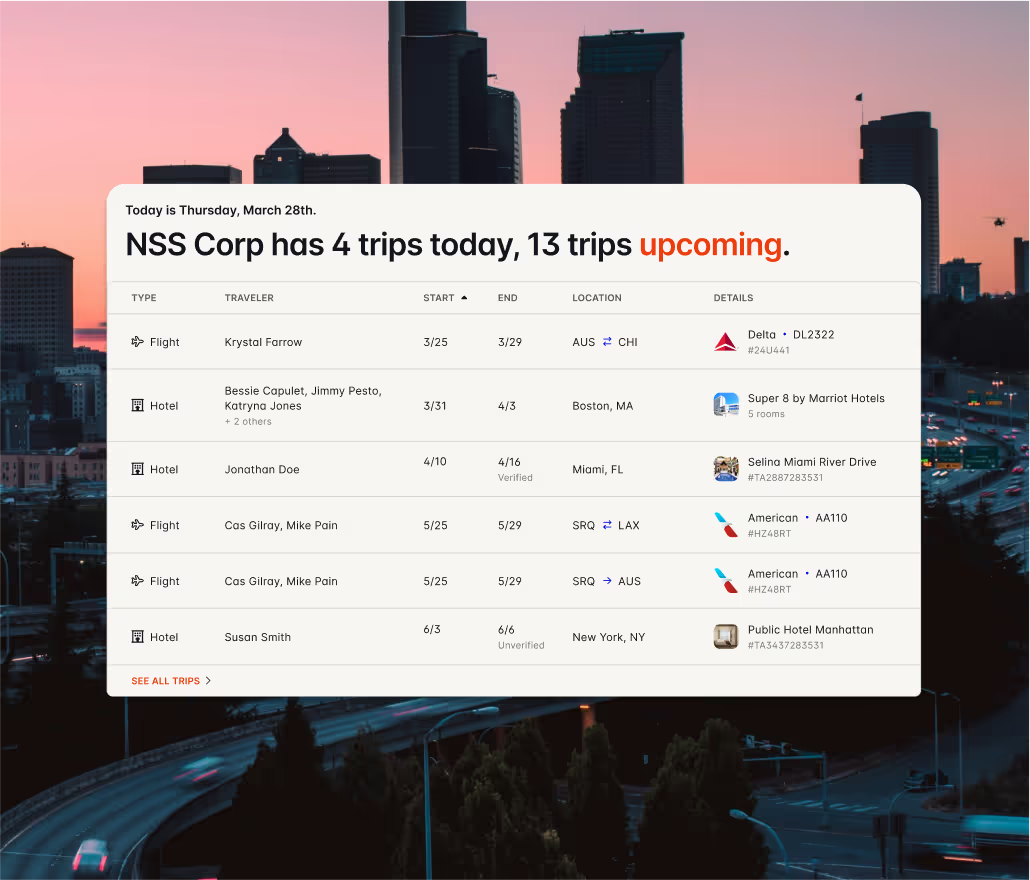
Engine is purpose-built for construction and project-based industries where crews travel to job sites. The platform combines hotel, flight, and car booking with expense tracking that’s designed for job costing workflows.
Key features for construction:
- Custom Fields: Tag every booking with job codes, PO numbers, or project names at the point of purchase. Codes flow automatically to invoices and reporting with no manual reconciliation.
- Direct Bill: Once you’re approved, Engine pays hotels directly and sends one consolidated monthly invoice instead of chasing dozens of contractor receipts. Crews check in without credit card authorization hassles.
- Travel Policies: Set per diem limits and spending caps that enforce compliance at search time. Non-compliant options don't appear, so violations never happen.
- FlexPro: Protect your budget when project timelines shift due to weather, missing permits, or client changes. Modify or cancel bookings in clicks until noon on check-in day. Sims Crane saved $40,000+ with FlexPro when project schedules shifted.
- Negotiated rates: Access corporate hotel rates (20-60% savings) without volume commitments or lengthy negotiations.
Best for: Construction companies, contractors, and project-based businesses managing crew travel across multiple job sites that need financial control without enterprise complexity.
How to Choose the Right Platform
Your choice depends on what you're solving for:
If you need full construction ERP: Viewpoint, Sage 300 CRE, or Foundation Software give you expense tracking within broader job costing and accounting systems. Expect longer implementations and higher costs.
If you're already on Procore: Look for platforms with documented Procore integrations so expense and travel data flows into your existing project management workflow.
If field time tracking is the priority: Busybusy, ClockShark, or ExakTime combine time and expense capture for crews, though expense features are secondary.
If travel is your biggest expense headache: Engine eliminates the receipt chaos, policy violations, and reconciliation nightmare specifically for crew travel. You get one monthly invoice with every booking tagged to the right job code.
If you need comprehensive enterprise expense automation: Concur or Expensify handle expense management at scale, but require separate travel booking solutions and manual project code mapping.
Eliminate the Reconciliation Nightmare with Engine
You don't need a six-month ERP implementation to get construction-grade expense tracking. Engine gives you job code tagging, consolidated invoicing, and policy enforcement out of the box, with your team booking the same day you sign up.
One monthly invoice. Every trip tagged to the right project. No more spreadsheet archaeology at month-end.
Book your first crew trip in under two minutes. See how Engine works for construction teams.

Frequently Asked Questions
How do construction expense trackers handle contractor vs. employee expenses?
W-2 employees receive reimbursements while 1099 contractors include travel costs in invoiced amounts. According to IRS Publication 463, employee reimbursements require business connection substantiation and documentation within 60 days. Look for platforms that support different workflows based on worker classification.
What's the typical ROI for implementing construction expense tracking?
Typical payback periods run 6-12 months. For a contractor processing 500 invoices monthly, automated processing can reduce per-invoice costs from $15-20 down to $2-3, translating to $100,000+ in annual savings.
Do these platforms work offline at remote construction sites?
Field-focused platforms like Busybusy, ExakTime, and Engine provide offline functionality. Data stores locally and syncs when connectivity returns. Construction ERPs typically require connectivity, though mobile companion apps may offer limited offline features.
What spending controls work best for construction companies?
Enforce policy at search time rather than after booking. When platforms only show compliant options based on per diem limits and GSA-approved rates, violations never happen. For exceptions, book-outside-policy functionality lets travelers submit justification for non-compliant requests.
How long does implementation typically take?
Field apps (Busybusy, ClockShark) take days to weeks. Travel platforms like Engine start same-day with full configuration in 2-4 weeks. Construction ERPs (Viewpoint, Sage) and enterprise platforms (Concur) require 3-6 months.


.jpg)












.jpg)